After successfully completing* a self-study or webinar:
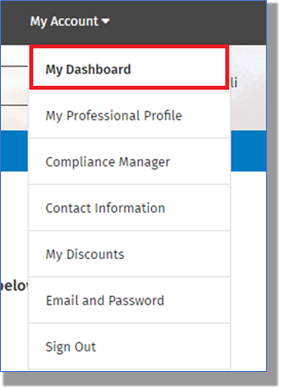
Login and Navigate to the "My Dashboard" area in either the My Account page or in the drop-down on the upper-right of the page:
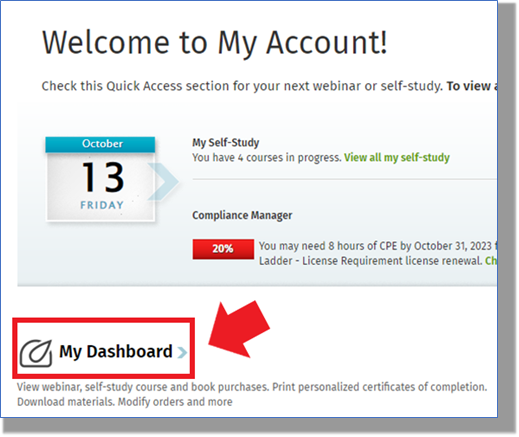
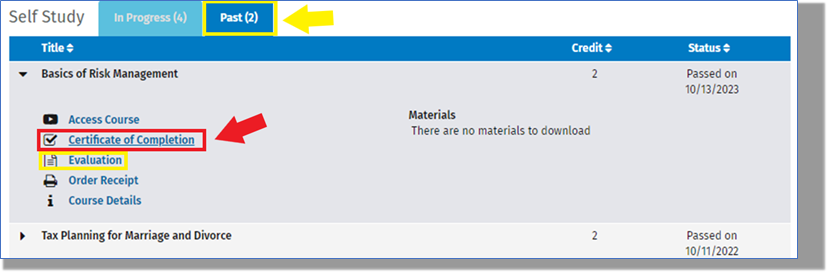
In the "Past" tab of either the Self-Study or Webinar areas, find the course and select, "Certificate of Completion." The option to submit an evaluation will also be available below the certificate link.
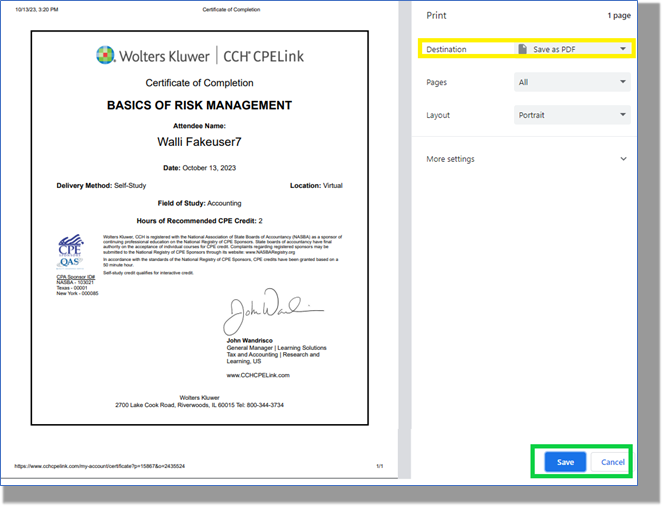
The certificate will display with the option of either downloading and saving or printing.
Links to the Completion Certificates will always be available in this area of the My Dashboard.*Please Note:
successful completion of a self-study requires a score of 70% or better on the final assessment
successful completion of a webinar requires attendance for at least 50-minutes of every hour and having answered at least 75% of all poll questions asked
