
*Please Note: this process assumes the user has Administrative rights in CCH CPELink and that license information has been entered for the staff.
Navigate to “Compliance Manager” on the blue toolbar.
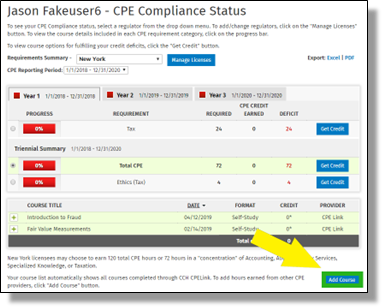
Select an attendee by clicking the hyperlinked name. It does not matter which attendee at this point.
Click on the “Add Course button
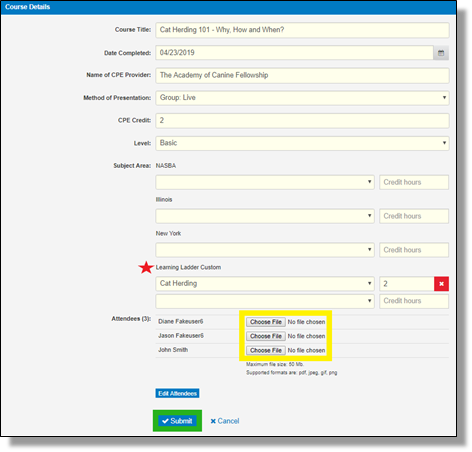
Fill out the required information:
Course Title
Date Completed
CPE Provider
Method of Presentation
CPE Credit
Level
Subject Areas for all necessary regulators
Note: this is where any Custom Subject Areas can be credited for any Learning Ladders. If the course credit applies to a standard subject area, select from the drop-down of each appropriate regulator.
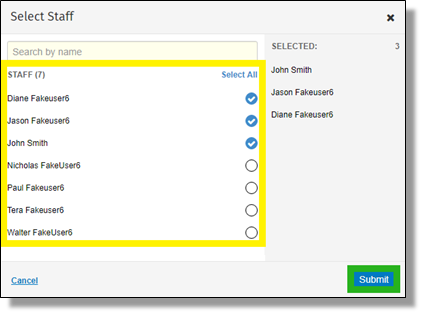
If multiple staff attended, click on the “Click Here” option to select staff that earned credit from the course. Click “Submit” when finished.
If applicable, use the “Choose File” option to upload individual Certificates for each attendee. Click Submit to complete the process. This is optional, if the certificates are being stored either physically or electronically elsewhere.